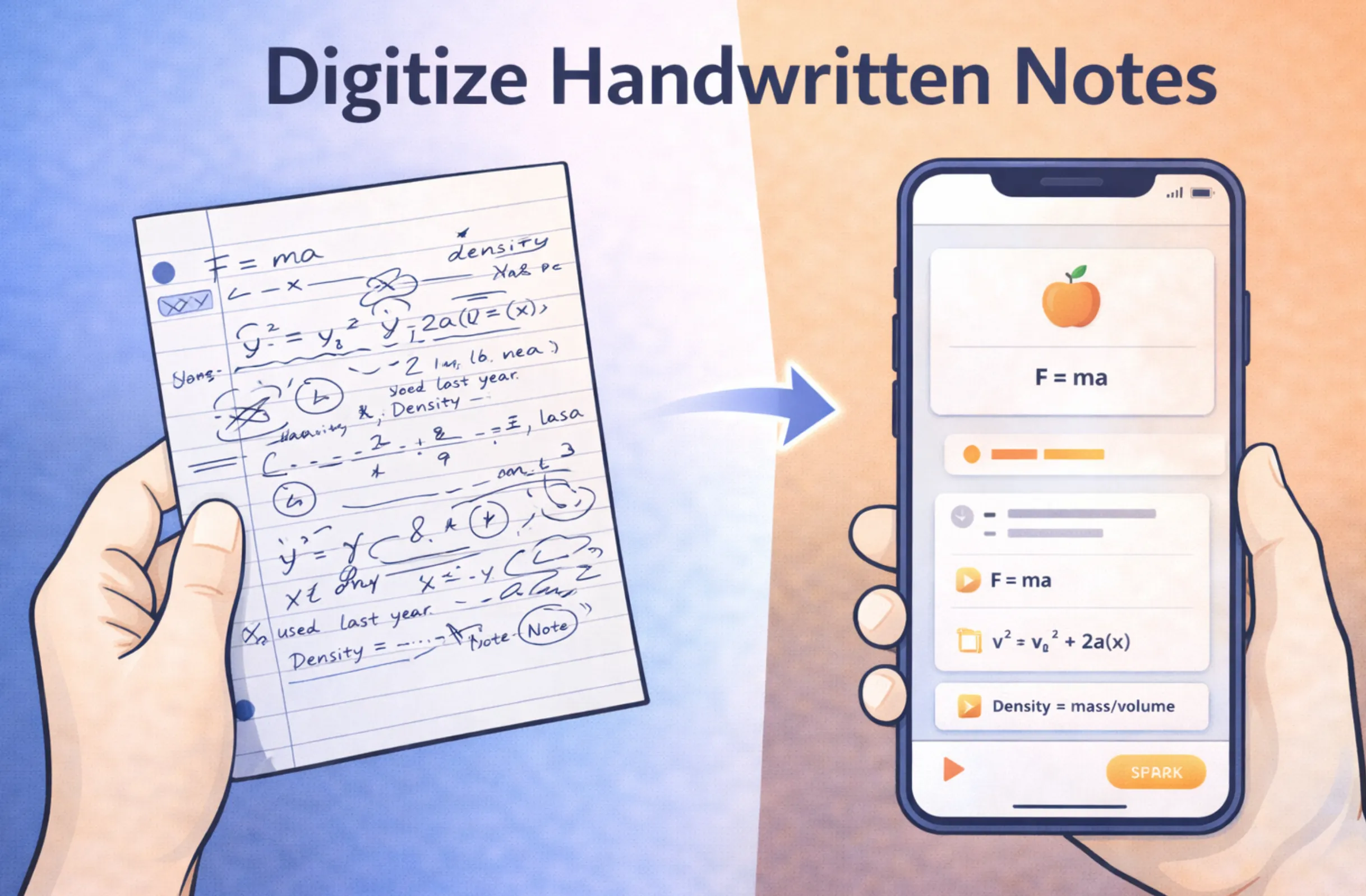
Handwritten notes are powerful for learning, but they are hard to search, easy to lose, and impossible to turn into flashcards without retyping everything. In 2026, AI-powered handwriting OCR solves all of these problems. This guide walks you through the complete process of digitizing your handwritten notes — from snapping a photo to generating study materials automatically.
Written by Sarah Mitchell
Education Tech Researcher
Sarah specializes in AI-driven learning tools and has spent over 5 years analyzing how technology improves student outcomes. She has tested every major OCR and note-digitization platform on the market and advises thousands of students on building efficient digital study workflows.
Quick Summary: Digitizing Handwritten Notes with AI
- Accuracy: Up to 98% with AI-powered handwriting OCR
- Process: Photograph → Upload → AI OCR → Clean text → Study materials
- Supports: Print, cursive, equations, diagrams, whiteboards
- Best Tool: LectureScribe (OCR + auto flashcard & quiz generation)
- Speed: Under 30 seconds per page (vs. 5-10 min retyping)
- Bonus: Auto-generates flashcards & quizzes from your handwritten notes
Table of Contents
Why Digitize Your Handwritten Notes?
Research consistently shows that writing notes by hand improves comprehension and retention compared to typing. A landmark study from Princeton and UCLA found that students who handwrite notes process information more deeply because they cannot transcribe lectures word-for-word — they must actively summarize and rephrase. The problem is that handwritten notes are trapped on paper: unsearchable, hard to organize, and at risk of being lost or damaged.
Digitizing your handwritten notes gives you the best of both worlds. You keep the cognitive benefits of writing by hand during class, and you gain the practical advantages of digital text afterward. Here are the key reasons to digitize:
Instant Searchability
Once your handwritten notes are digital text, you can search across all your notes instantly. Need to find every mention of "mitochondria" across a semester of biology notes? A quick search finds them all in seconds instead of flipping through dozens of notebook pages.
Better Organization
Digital notes can be tagged, categorized by subject, sorted by date, and grouped by topic. No more digging through physical notebooks to find the right page. Build a searchable library organized by course, chapter, or concept.
Permanent Backup
Physical notebooks can be lost, damaged by water, or simply degrade over time. Digital notes are backed up to the cloud and accessible from any device. Your entire semester of notes lives safely in your LectureScribe account, ready when you need them.
Auto-Generate Study Materials
This is the game-changer. Once your notes are digital, AI can analyze the content and automatically generate flashcards, quiz questions, summaries, and study guides. What used to take hours of manual work now happens in seconds.
The Numbers Speak for Themselves
Students who digitize their handwritten notes report spending 40% less time reviewing before exams because they can search and organize their materials efficiently. When combined with AI-generated flashcards, total study prep time drops by up to 60% compared to traditional methods.
How AI-Powered OCR Works
Optical Character Recognition (OCR) has existed for decades, but traditional OCR was designed for printed text — think scanned documents and typed forms. Handwriting recognition is a fundamentally harder problem because every person writes differently. The same letter "a" can look completely different from one person to the next, and even the same person writes it differently depending on speed and context.
Modern AI-powered OCR uses deep learning models — specifically convolutional neural networks (CNNs) and transformer architectures — trained on millions of handwriting samples. These models do not just match shapes to letters. They understand the context of what you are writing. If the AI is uncertain whether a character is an "a" or an "o," it uses the surrounding words to make the right call. This contextual understanding is what pushes accuracy from the 70-80% range of traditional OCR to the 98% accuracy that modern tools like LectureScribe achieve.
How AI Handwriting OCR Has Improved
Accuracy measured on mixed handwriting samples (print + cursive) in controlled lighting conditions.
The key breakthroughs in 2025-2026 came from multimodal AI models that can simultaneously understand text, diagrams, and mathematical notation in the same image. Earlier OCR systems could only handle one type of content at a time. Modern systems like LectureScribe's Handwriting OCR can look at a notebook page containing English text, a chemical equation, a hand-drawn graph, and margin annotations, then correctly parse each element and output clean, structured digital content.
Step-by-Step: Digitizing Notes with LectureScribe
LectureScribe's Handwriting OCR feature turns the process of digitizing notes from a tedious chore into a 30-second workflow. Here is exactly how it works, from photograph to finished study materials.
Photograph Your Notes
Use your phone camera to photograph your handwritten notes. LectureScribe works with photos from any smartphone — no special scanner needed. For best results, hold your phone directly above the page with even lighting. You can photograph multiple pages at once by taking several photos.
Pro tip: Use your phone's built-in document scanner mode (available on both iOS and Android) for automatic edge detection and perspective correction.
Upload to LectureScribe
Open LectureScribe and select "Handwriting OCR" as your input type. Drag and drop your photos or select them from your camera roll. You can upload up to 50 pages at once for batch processing. LectureScribe automatically detects and corrects rotation, skew, and lighting inconsistencies.
AI OCR Processes Your Handwriting
The AI analyzes your handwriting, recognizes text, separates diagrams and equations, and converts everything into clean digital text. This typically takes 10-20 seconds per page. The system handles mixed content — text alongside diagrams, margin notes, arrows, and highlights — and preserves the logical structure of your notes, including headings, lists, and paragraph breaks.
Review and Edit Clean Text
LectureScribe presents the extracted text alongside the original image so you can verify accuracy and make any corrections. At 98% accuracy, most pages need zero edits. The editor highlights any words where the AI had lower confidence, making it easy to spot and fix the rare errors quickly.
Auto-Generate Flashcards & Quizzes
This is where LectureScribe goes beyond basic OCR. Once your notes are digitized, click "Generate Study Materials" and the AI creates targeted flashcards, multiple-choice quiz questions, and a condensed summary from your handwritten content. A single page of lecture notes can produce 10-15 high-quality flashcards in seconds.
Full pipeline: Photo → Digital text → Flashcards + Quizzes + Summary — all in under 60 seconds total.
Try It Now — Your First Upload Is Free
Photograph your notes, upload them, and see the AI digitize your handwriting in seconds.
Start Digitizing FreeWhat Types of Handwriting Work Best
Not all handwriting is created equal when it comes to OCR accuracy. Here is a breakdown of how different styles perform with modern AI recognition and what you can do to maximize results.
Neat Print Handwriting
98% accuracySeparated, clearly formed letters in a print style achieve the highest accuracy. This is the most common handwriting style among students taking notes in class. If your print is reasonably legible to another human, AI OCR will read it near-perfectly.
Cursive Handwriting
92-96% accuracyConnected letters in flowing cursive are more challenging but still achieve excellent results. The AI uses word-level context to resolve ambiguities in letter connections. Standard cursive styles (like D'Nealian) are recognized more reliably than highly personalized or decorative cursive.
Mathematical Equations
90-95% accuracyHandwritten math — including fractions, integrals, Greek letters, subscripts, and superscripts — is recognized and converted to LaTeX or structured digital format. Write equations with adequate spacing between symbols for best results. LectureScribe handles STEM notation that most consumer OCR tools cannot.
Diagrams & Sketches
Detected & labeledHand-drawn diagrams, flowcharts, and sketches are detected and separated from text content. The AI identifies labels within diagrams and extracts them as text. While it does not recreate the drawings digitally, it preserves diagram labels and surrounding context in the digital output.
Whiteboard Markers
95-98% accuracyWhiteboard writing is typically large and clear, making it ideal for OCR. LectureScribe's processing pipeline handles perspective correction, glare removal, and color separation to extract text written in multiple marker colors. Perfect for capturing your professor's whiteboard during lectures.
From Handwritten Notes to Flashcards in Seconds
The real power of digitizing handwritten notes is not just getting searchable text — it is what happens next. LectureScribe's AI analyzes the content of your digitized notes and automatically generates study materials that would take hours to create manually.
Here is the full pipeline from a page of handwritten notes to a complete study session:
The LectureScribe Pipeline
Handwritten page — Your physical notes from class
AI OCR extraction — 98% accurate digital text in ~15 seconds
AI content analysis — Identifies key concepts, definitions, and relationships
Auto-generated outputs:
- - 10-15 targeted flashcards per page
- - Multiple-choice quiz questions
- - Condensed summary of key points
- - Organized, structured digital notes
What makes this especially powerful is that the flashcards are generated from your notes — reflecting exactly what your professor emphasized, the specific examples used in your class, and the terminology your course uses. This is far more effective than generic pre-made flashcard decks because the content matches exactly what you will be tested on. You can also export these flashcards to Anki for spaced repetition review.
Real Student Result
"I photographed 30 pages of organic chemistry notes, uploaded them to LectureScribe, and had 400+ flashcards ready in under 10 minutes. It would have taken me an entire weekend to make those by hand." — LectureScribe user, Spring 2026
Tips for Better OCR Results
While AI handwriting OCR is remarkably accurate, following these best practices will help you consistently achieve the highest possible recognition rates.
Lighting
Use even, diffused lighting. Natural daylight or a well-lit room works best. Avoid harsh shadows across the page, which can confuse the OCR. If you are using a desk lamp, position it to the side rather than directly above to prevent your phone from casting a shadow.
Camera Angle
Hold your phone directly above the page, perpendicular to the surface. LectureScribe can correct mild perspective distortion, but a straight-on shot produces the best results. Use your phone's gridlines to align the page edges with the frame.
Paper & Ink Contrast
Dark ink on white or light-colored paper gives the best results. Blue and black ink both work excellently. Pencil writing works too, but faint pencil can be harder to recognize — press firmly or go over light lines. Avoid lined paper with very dark grid lines that might interfere.
Image Resolution
Any modern smartphone camera (12MP+) provides sufficient resolution. Do not zoom in — capture the full page in one shot for the best results. If your page is very large (like a legal pad), it is better to photograph the top and bottom halves separately than to take one distant shot of the entire page.
Writing Spacing
Leave adequate space between lines and words. Cramped handwriting where letters overlap between lines is the most common cause of recognition errors. If you know you will digitize your notes later, write slightly larger and more spaced out than your natural style.
Flat Surface
Place your notebook on a flat surface. Curved pages in a bound notebook create text distortion near the spine. If you cannot remove the page, press the notebook flat and photograph each page separately rather than capturing the full spread.
Digitizing Whiteboard Notes from Lectures
Capturing whiteboard content during lectures is one of the most popular uses of AI OCR among students. Your professor writes key formulas, draws diagrams, and lists important concepts on the board — and you need to capture all of it before it gets erased. Here is how to do it effectively.
Whiteboard Capture Best Practices
Photograph at a slight angle to avoid camera flash reflecting off the glossy whiteboard surface. LectureScribe's perspective correction will straighten the image automatically.
Capture before the board is full — do not wait until your professor is about to erase. Take photos of each section as it is completed so you get clean, uncrowded content.
Turn off your flash — the flash creates a bright hotspot on whiteboards that can wash out text in the center of the image. Use the room's ambient lighting instead.
Include the full board — capture all the content in one shot if possible. If the board is very large, take overlapping photos of each section to ensure nothing is missed.
Multiple marker colors are fine — LectureScribe handles red, blue, green, and black markers on white backgrounds without any issues. Color information helps the AI distinguish headings from body text.
After capturing your whiteboard photos, upload them to LectureScribe the same way you would upload handwritten notes. The AI applies additional processing specific to whiteboard images: perspective correction, glare removal, contrast enhancement, and color-based text segmentation. The result is clean, accurate digital text that preserves the structure of what your professor wrote — headings, bullet points, equations, and all.
For the best workflow, take whiteboard photos during class, then batch-upload them along with your handwritten notes after the lecture. LectureScribe combines both sources to create a complete set of notes with auto-generated flashcards covering everything from that lecture.
Organizing Your Digital Notes Library
Once you start digitizing notes regularly, organization becomes essential. A semester of notes across 4-5 courses can quickly become overwhelming without a system. Here is how to build a well-organized digital notes library.
Organize by Course and Date
Create a folder for each course in LectureScribe, then upload notes with clear date labels. LectureScribe automatically timestamps your uploads and lets you add course tags. When exam time comes, you can pull up all notes for a specific course in chronological order, making it easy to review the progression of topics.
Use Full-Text Search
One of the biggest advantages of digitized notes is search. Instead of remembering which notebook and which page contains a specific concept, you can search across your entire library. Looking for your notes on "supply and demand" or "the Krebs cycle"? Type it in and find every mention across every lecture instantly.
Merge Notes from Multiple Sources
Combine your digitized handwritten notes with lecture recordings, PDF slides, and textbook excerpts in the same LectureScribe project. The AI treats all sources as part of a unified knowledge base when generating flashcards and study materials, giving you the most comprehensive study experience possible.
Build a Review Workflow
Establish a weekly habit: photograph and digitize your handwritten notes every Friday, review the auto-generated flashcards over the weekend, and flag any concepts you are struggling with for deeper review. This consistent workflow prevents the last-minute cramming panic that many students experience.
Comparing AI OCR Tools in 2026
Several tools can digitize handwritten notes, but they differ significantly in accuracy, features, and what they do with the extracted text. Here is an honest comparison of the three most popular options.
LectureScribe
AI-Powered Handwriting OCR + Study Material Generation
LectureScribe is the only tool built specifically for students that combines high-accuracy handwriting OCR with automatic study material generation. Upload a photo of your notes and get digital text, flashcards, quizzes, and summaries — all in one workflow. It also handles lecture recordings, PDFs, and slides, so your entire study pipeline lives in one platform.
Industry-leading OCR accuracy on student handwriting, including cursive, equations, and mixed content.
Goes beyond OCR — generates study materials from your digitized content automatically. No other OCR tool does this.
Combine handwritten note OCR with lecture recordings, PDFs, and slides in one unified workspace. Export flashcards to Anki.
Upload up to 50 pages at once for batch OCR processing. Digitize an entire notebook in minutes.
Pricing
1 Free Upload | $9.99/month
Google Lens
Free basic handwriting recognition built into Google
Google Lens offers free handwriting recognition directly from your phone camera or Google Photos. It is excellent for quick, one-off text extraction — point your camera at handwritten text and copy it to your clipboard. However, it does not generate study materials, has no batch processing, and does not organize your notes in any way. The accuracy on handwriting (around 90-93%) is good but noticeably lower than LectureScribe for student notes.
Pricing
Free
Apple Live Text
Built-in text recognition on iPhone and iPad
Apple Live Text is built into iOS and recognizes text in photos automatically. It integrates nicely with the Apple ecosystem — you can select and copy text from any photo in your Camera Roll. For iPhone users, it is convenient for quick text extraction. However, like Google Lens, it is a basic OCR tool with no study features, limited accuracy on handwriting (around 88-92%), and no ability to process multiple pages at once.
Pricing
Free (iOS 15+ / macOS Monterey+)
Bottom Line: Which OCR Tool Should You Use?
The choice depends on what you need:
- 1LectureScribe — Best for students who want the full pipeline: OCR + flashcards + quizzes + note organization. ($9.99/mo)
- 2Google Lens — Best for quick, occasional text extraction when you just need to copy a line or two. (Free)
- 3Apple Live Text — Convenient if you are already in the Apple ecosystem and need basic OCR. (Free)
If you are serious about digitizing your notes as part of a study workflow, LectureScribe is the only option that goes beyond basic OCR to actually help you learn from your notes.
Frequently Asked Questions
How accurate is AI handwriting recognition in 2026?
Modern AI OCR tools like LectureScribe achieve up to 98% accuracy on handwritten notes. Accuracy depends on handwriting legibility, image quality, and lighting. Neat print achieves 98%+, cursive typically reaches 92-96%, and even messy handwriting hits 85-90%. You can easily correct any rare errors in the digital output.
Can AI read cursive handwriting?
Yes. AI-powered OCR in 2026 reads cursive handwriting with 92-96% accuracy. Modern recognition models are trained on millions of handwriting samples including various cursive styles. LectureScribe uses neural networks specifically optimized for student handwriting. For best results with cursive, ensure good lighting and a straight-on camera angle.
What is the best app to digitize handwritten notes?
LectureScribe is the best app for digitizing handwritten notes because it goes beyond simple OCR. It extracts text with 98% accuracy, then automatically generates flashcards, quiz questions, and organized summaries from your handwritten material. This complete pipeline from photo to study materials saves hours compared to basic OCR apps.
Can I convert handwritten math equations to digital text?
Yes. AI OCR in 2026 recognizes handwritten math including fractions, integrals, Greek letters, and complex notation. LectureScribe supports LaTeX output for mathematical expressions, making it ideal for STEM students. Accuracy is typically 90-95% when equations are written clearly with adequate spacing between symbols.
How do I digitize whiteboard notes from lectures?
Photograph the whiteboard at a slight angle to avoid glare, ensure the entire board is in frame, and keep your flash turned off. Upload to LectureScribe, which corrects perspective distortion, enhances contrast, and extracts all text with high accuracy. The AI handles multiple marker colors and distinguishes between text, diagrams, and equations.
Is it faster to type notes or digitize handwritten notes with AI?
Writing by hand leads to better comprehension and retention according to research from Princeton and UCLA. With AI digitization, you get the best of both worlds: cognitive benefits of handwriting plus searchable digital text. LectureScribe digitizes a page in under 30 seconds, far faster than retyping manually (5-10 minutes per page).
Ready to Digitize Your Notes?
Photograph your handwritten notes and let AI turn them into searchable text, flashcards, and quizzes — in seconds.
Try LectureScribe Free - No Credit Card RequiredUpload your first page of handwritten notes and see 98% accuracy in action.
Want to Make Flashcards from Any Source?
LectureScribe's AI Flashcard Maker works with handwritten notes, lecture recordings, PDFs, slides, and more. Generate study-ready flashcards from any material in seconds.
Related Articles
Convert Handwritten Notes to Digital
Our original guide to converting handwritten notes to digital format using AI tools.
AI Flashcard Maker
Create flashcards instantly from any lecture, textbook, or notes using AI.
Best AI Study Apps for Students 2026
Complete guide to the top AI-powered study tools for academic success.
Browse All Articles
Explore our full library of study guides, tips, and AI tool reviews.