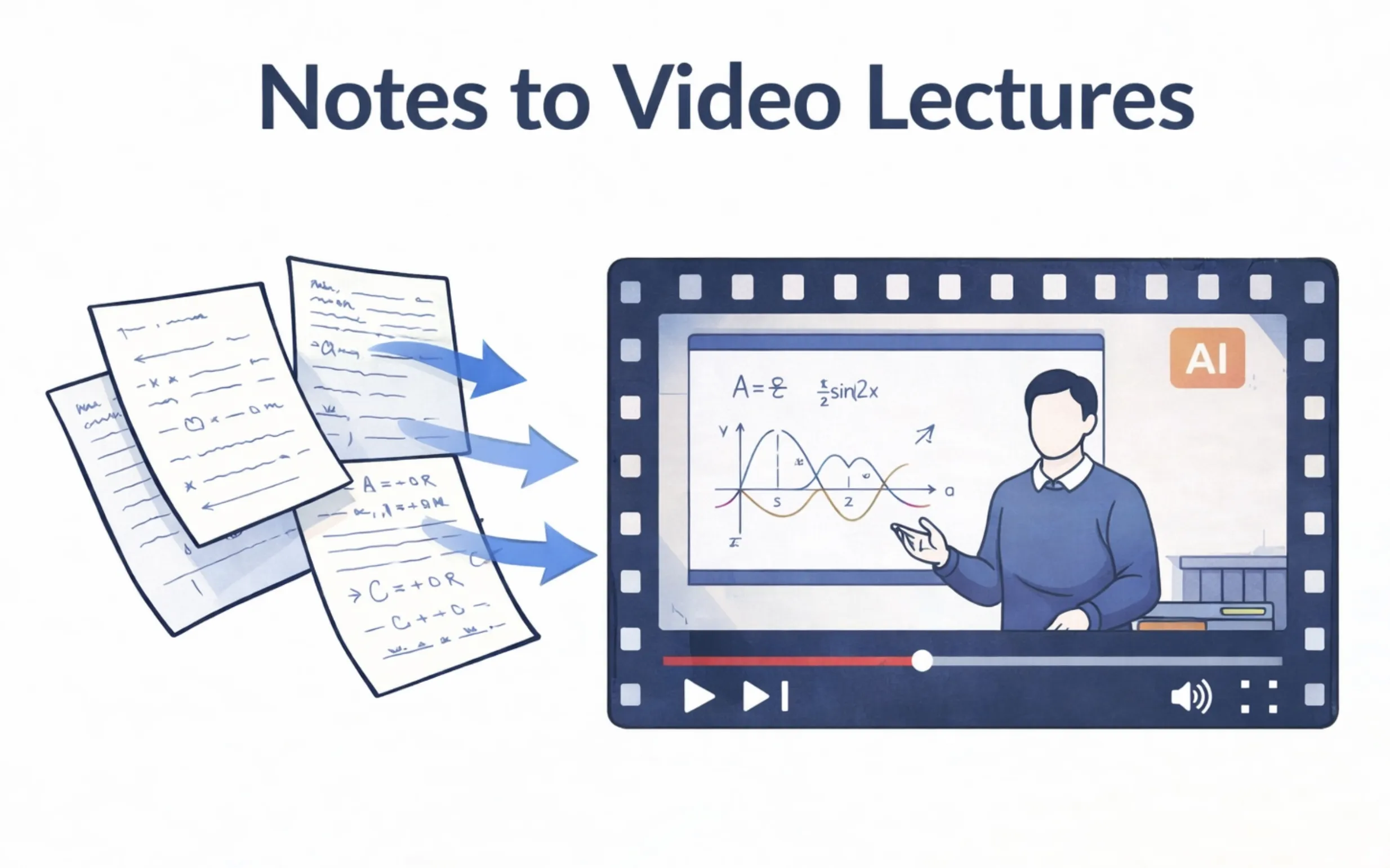
What if you could turn any set of notes into a professional video lecture — complete with narration, visual slides, and pacing — in under five minutes? With AI video lecture generators like LectureScribe, that is now a reality. This guide walks you through the entire process, from uploading your notes to sharing polished video lectures with your study group.
Written by Sarah Mitchell
Education Tech Researcher
Sarah specializes in AI-driven learning tools and has spent over 5 years analyzing how technology improves student outcomes. Her research focuses on multimedia learning, dual coding theory, and the role of AI in modern education.
Quick Summary
- What: Convert notes, PDFs, and handwritten content into narrated AI video lectures
- How: Upload to LectureScribe → AI processes → Watch your video lecture
- Time: 2-5 minutes to generate a full narrated video
- Why: Dual coding theory shows video boosts retention by up to 65%
- Best For: Lecture notes, study guides, textbook summaries, exam review
- Sharing: Export and share video lectures via link for group study
Table of Contents
1. Why Video Lectures Boost Retention
Reading notes is a passive activity. Your eyes scan the page, but your brain often drifts. Video lectures change this dynamic entirely by engaging two cognitive channels simultaneously — and the science behind this is well-established.
Dual Coding Theory
Psychologist Allan Paivio's dual coding theory demonstrates that the brain processes visual and verbal information through separate channels. When both channels are activated simultaneously — as with a narrated video — memory encoding is significantly stronger. Studies show that learners who receive information both visually and auditorily retain up to 65% more than those who only read text.
The Multimedia Learning Effect
Richard Mayer's research on multimedia learning confirms that students learn better from words and pictures together than from words alone. An AI video lecture generated from your notes combines structured visuals with natural narration, creating exactly the multimedia environment that maximizes understanding and long-term recall.
This is why platforms like LectureScribe focus on converting notes to video — it is not just about convenience. It is about transforming passive reading material into an active, multi-sensory learning experience. When you watch a narrated video of your own notes, you are encoding the information through sight, sound, and narrative structure simultaneously.
Key Research Finding
A 2024 meta-analysis published in Educational Psychology Review found that students who used video-based study materials scored an average of 22% higher on retention tests compared to students who relied solely on text-based notes. The effect was even stronger when the video content was generated from the student's own materials, as the familiarity of the content combined with the novelty of the format created optimal encoding conditions.
2. What You Need to Get Started
The beauty of using an AI video lecture generator like LectureScribe is that you do not need any video editing skills, recording equipment, or technical knowledge. Here is everything you need:
Your Notes or Documents
Typed lecture notes, PDFs, Word documents, Google Docs exports, study guides, or textbook summaries. Even a simple bullet-point outline works.
Handwritten Notes (Optional)
Take a clear photo or scan of your handwritten notes. LectureScribe's AI uses OCR to extract the content and convert it into a structured video lecture.
A LectureScribe Account
Sign up for free at lecturescribe.io. No credit card required. Your first upload is free so you can try the video generation feature immediately.
That is it. No microphone, no camera, no editing software. The AI handles narration, visual design, pacing, and production. You provide the content — LectureScribe turns it into a polished AI study video you can watch anywhere.
3. Step-by-Step: Converting Notes to Video with LectureScribe
Here is the complete process for turning your notes into a video lecture using LectureScribe. The entire workflow takes less than five minutes from upload to playback.
Upload Your Notes
Log in to LectureScribe and click the upload button. Drag and drop your file — a PDF of your biology notes, a photo of your handwritten chemistry formulas, a Word document with your history lecture summary, or simply paste text directly. The platform accepts all common document formats.
Supported formats: PDF, DOCX, TXT, JPG, PNG, and pasted text
AI Processes Your Content
Once uploaded, LectureScribe's AI analyzes your notes to understand the structure, key concepts, and logical flow. It identifies main topics, supporting details, definitions, and relationships between ideas. The AI then organizes this into a presentation-ready format with a clear narrative arc.
Processing time: 2-5 minutes depending on document length
Watch Your Video Lecture
Your AI video lecture is ready. Hit play and watch a fully narrated, visually structured lecture built from your own notes. The video features clear slides with key points, smooth transitions between topics, and natural-sounding narration that explains concepts in a conversational tone. You can pause, rewind, adjust playback speed, and rewatch as many times as you need.
Output: A streamable, shareable video lecture you can access anytime
Try It Now — Upload Your First Notes Free
See your notes transformed into a narrated video lecture in minutes
Generate Your First Video LectureNo credit card required
4. Types of Content That Work Best
Not all content is created equal when it comes to AI video generation. Here are the types of notes and documents that produce the best AI study videos with LectureScribe:
Lecture Notes
Notes taken during class are ideal because they already follow a logical sequence. The AI preserves the structure your professor used and adds narration that reinforces each point.
Effectiveness: Excellent
Study Guides
Condensed study guides are perfect for video conversion. They are already organized by topic and contain the most important information, making the resulting video focused and efficient.
Effectiveness: Excellent
Textbook Summaries
Chapter summaries from textbooks convert beautifully to video. The AI breaks down dense academic content into digestible narrated segments that are much easier to absorb than reading the textbook directly.
Effectiveness: Very Good
Exam Review Sheets
Turn your exam review materials into a video you can watch the night before a test. The narrated format helps with last-minute retention, and you can rewatch specific sections you are less confident about.
Effectiveness: Very Good
Slide Decks / Presentations
Upload your professor's PowerPoint slides or your own presentation notes. LectureScribe adds the narration that was missing, effectively recreating the lecture experience.
Effectiveness: Very Good
Handwritten Notes
Snap a photo of your handwritten notes. The AI extracts the content via OCR and generates a clean, narrated video. This is great for students who prefer writing by hand but want the retention benefits of video review.
Effectiveness: Good (clear handwriting recommended)
5. How AI Generates the Narration
One of the most impressive aspects of LectureScribe's AI video lecture generator is the narration. Here is how the AI transforms your written notes into spoken content that sounds natural and engaging:
1Content Analysis
The AI first reads through your entire document to understand the subject matter, identify key terminology, and map the logical flow of ideas. It distinguishes between definitions, explanations, examples, and conclusions to narrate each appropriately.
2Script Generation
Rather than simply reading your notes word-for-word, the AI expands abbreviations, smooths out bullet points into natural sentences, and adds transitional phrases between topics. The result is a conversational script that sounds like a knowledgeable tutor explaining the material.
3Natural Text-to-Speech
Advanced text-to-speech technology converts the script into natural-sounding narration. The AI applies appropriate pacing — slowing down for complex concepts, pausing after key definitions, and using emphasis on important terms. The voice is clear, professional, and easy to listen to for extended periods.
4Visual Synchronization
The narration is synchronized with on-screen visual elements — key points appear as the narrator mentions them, diagrams are highlighted when referenced, and transitions between slides align with topic changes in the narration. This tight coupling between audio and visuals is what makes the dual coding effect so powerful.
6. Customizing Your Video Lectures
LectureScribe gives you control over how your AI video lectures are generated. Here are the ways you can customize the output to match your learning preferences:
Video Length
Control the depth and duration. Generate a quick 3-minute overview for last-minute review, or a comprehensive 20-minute deep dive that covers every detail in your notes.
Visual Style
Choose between clean slide-based presentations, more visual layouts with diagrams and highlights, or minimalist text-focused formats depending on your subject matter.
Narration Pace
Adjust playback speed after generation. Speed up to 1.5x or 2x for quick review sessions, or slow down to 0.75x when working through particularly dense material.
These customization options mean that the same set of notes can produce different types of video lectures for different purposes. Create a detailed version for first-time learning and a condensed version for pre-exam review — all from the same upload.
8. Video Lectures vs Traditional Studying
How does studying with AI-generated video lectures compare to traditional methods? Here is a side-by-side comparison:
| Factor | AI Video Lectures | Reading Notes | Re-reading Textbook |
|---|---|---|---|
| Retention Rate | High (dual coding) | Moderate | Low (passive) |
| Engagement Level | Active (audio + visual) | Semi-active | Passive |
| Time to Prepare | 2-5 min (AI does the work) | Already done | Already done |
| Reusability | Unlimited rewatching | Re-read as needed | Re-read as needed |
| Shareability | One-click link sharing | Send files | Not practical |
| Learning Modalities | Visual + Auditory | Visual only | Visual only |
| Study Flexibility | Watch anywhere, any speed | Need the notes | Need the textbook |
The comparison makes it clear: AI video lectures are not a replacement for your notes — they are an upgrade. You still take notes and study actively. But when it comes time to review, watching a narrated video of your own material is far more effective than re-reading the same pages for the third or fourth time. LectureScribe makes this upgrade effortless.
9. Tips for Getting the Best Results
While LectureScribe's AI is powerful enough to work with almost any input, these tips will help you get the most out of the notes to video lecture conversion:
Use Clear Headings and Structure
Notes with clear headings, subheadings, and organized sections produce the best video lectures. The AI uses your document structure to create logical slides and natural topic transitions. If your notes are a single wall of text, consider adding a few headings before uploading.
Include Key Definitions
When your notes include explicit definitions (e.g., "Mitosis: the process of cell division..."), the AI highlights these prominently in the video and gives them extra narration emphasis. This makes terminology-heavy subjects like biology, law, or medicine especially effective as video lectures.
Break Long Documents Into Sections
For very long notes (10+ pages), consider splitting them into separate uploads by topic or chapter. This produces multiple focused video lectures rather than one very long video, making it easier to review specific topics when needed.
Photograph Handwritten Notes in Good Light
If uploading photos of handwritten notes, use good lighting and take the photo straight on (not at an angle). High contrast between the ink and paper helps the OCR engine extract text accurately, resulting in a better video lecture.
Combine with Active Recall
After watching your AI video lecture, test yourself on the material. LectureScribe also generates flashcards and quizzes from the same notes, so you can watch the video for understanding and then use flashcards for active recall — the most effective one-two punch in studying.
Watch at 1.5x on Second Viewing
First time through, watch at normal speed. On subsequent reviews, bump up to 1.5x or even 2x playback. Your brain already has the framework from the first viewing, so faster playback on review sessions saves time while still reinforcing the material effectively.
10. Frequently Asked Questions
Can I turn handwritten notes into a video lecture?
Yes. LectureScribe accepts photos or scans of handwritten notes. The AI uses optical character recognition (OCR) to extract your content, then structures it into a narrated video lecture with visual slides. For best results, make sure your handwriting is reasonably legible and the photo is well-lit.
How long does it take to generate a video lecture from notes?
Most video lectures are generated within 2-5 minutes depending on the length and complexity of your notes. A typical set of lecture notes (3-5 pages) produces a 5-15 minute narrated video. Longer documents like full study guides may take slightly longer but are still ready in under 10 minutes.
What formats can I upload to create a video lecture?
LectureScribe supports a wide range of input formats including PDFs, Word documents, typed notes, photos of handwritten notes, and pasted text. You can also upload lecture slides, textbook excerpts, and study guides. The AI processes all of these into structured, narrated video lectures.
Are AI-generated video lectures effective for studying?
Yes, research on dual coding theory shows that combining visual and auditory information significantly improves retention. Students who learn through video retain up to 65% more information compared to reading alone. AI video lectures from LectureScribe leverage this by presenting your notes as narrated visual content, engaging multiple learning pathways simultaneously.
Can I share my AI video lectures with classmates?
Absolutely. LectureScribe lets you share video lectures via direct links, making them perfect for group study sessions. Your classmates can watch the videos without needing their own account. This is especially useful for study groups where members take notes on different topics and want to share comprehensive review materials.
Is LectureScribe free to use for video lecture generation?
LectureScribe offers a free upload to try the video lecture generation feature. After that, the Pro plan at $9.99/month gives you unlimited video lecture generation along with flashcard creation, summaries, quizzes, and all other AI study tools. There is no credit card required to start. Sign up free here.
Ready to Turn Your Notes Into Video Lectures?
Upload your notes and watch them transform into narrated AI video lectures in minutes
Try LectureScribe Free - No Credit Card RequiredYour first upload is free. Generate video lectures, flashcards, quizzes, and more.
Want Flashcards Too?
LectureScribe also generates flashcards and quizzes from the same notes. Combine video lectures for understanding with flashcards for active recall — the ultimate study combo.
Related Articles
AI Flashcard Maker
Create flashcards instantly from any lecture, textbook, or notes using AI.
Best AI Study Apps for Students 2026
Complete guide to the top AI-powered study tools for academic success.
Notes That Turn Into Study Materials
How AI transforms your raw notes into flashcards, quizzes, summaries, and video lectures.
Active Recall Study Method Guide
Master the most effective study technique backed by cognitive science research.