Turn Any PDF into Flashcards & Quizzes Instantly with AI
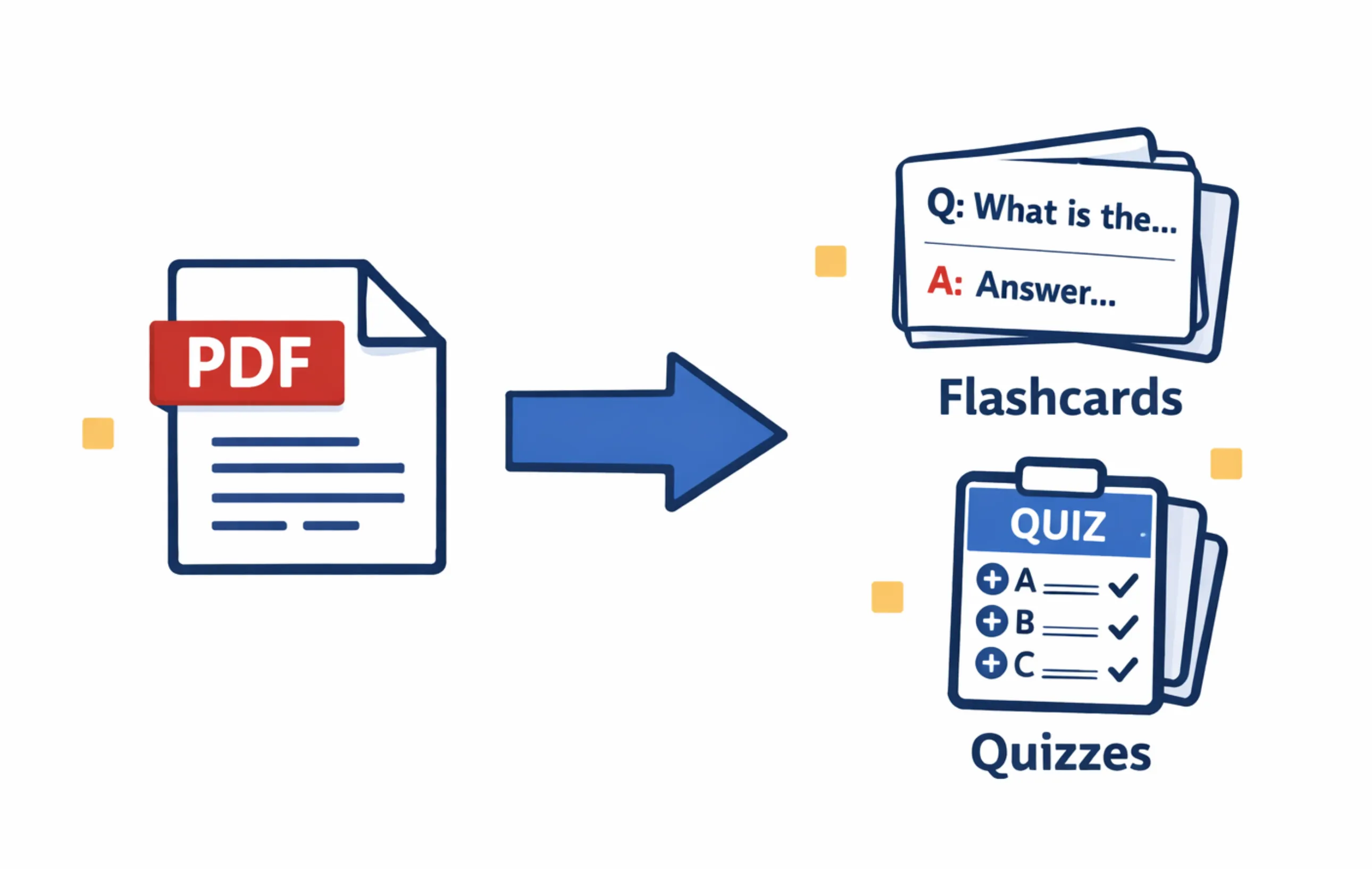
Stop spending hours manually creating flashcards from PDFs. Modern AI tools can convert any PDF into flashcards and quizzes in minutes. We tested every major tool to find the fastest, most accurate way to turn your lecture slides, textbook chapters, and notes into study-ready materials.
Written by Sarah Mitchell
Education Tech Researcher
Key Takeaways
- ✓AI can extract key concepts from any PDF and generate flashcards + quizzes in under 2 minutes
- ✓LectureScribe is the #1 tool for PDF-to-flashcard conversion with the highest accuracy and most complete output
- ✓Works for textbook chapters, lecture slides, research papers, and even scanned handwritten notes
- ✓Students save 5-8 hours per week compared to manual flashcard creation
- ✓Best results come from well-structured PDFs; a quick review pass after generation ensures accuracy
The Problem with Manual Flashcard Creation from PDFs
Every student knows the drill. You have a 40-page textbook chapter, a 60-slide lecture PDF, or a dense research paper to study. The recommended advice? Make flashcards. The reality? Creating flashcards manually from a PDF is one of the most time-consuming study tasks imaginable. Reading through the material, identifying key concepts, typing each question-answer pair, formatting them correctly—it can easily take 3-4 hours for a single chapter.
A 2025 survey by the Student Learning Research Group found that 67% of students who tried making flashcards from their PDFs gave up before finishing because the process was too tedious. Another 23% reported spending more time creating flashcards than actually studying them. That is a massive problem, because the value of flashcards comes from the repetition and retrieval practice, not from the act of typing them out.
This is where AI-powered PDF-to-flashcard tools change the equation entirely. Instead of hours of manual work, you upload your PDF and receive a complete set of flashcards and practice quizzes in minutes. The AI reads the document, identifies the most important concepts, definitions, relationships, and facts, then structures them into effective study materials automatically.
Why This Matters for Exam Performance
Research from cognitive science consistently shows that active recall (testing yourself with flashcards) and spaced repetition are the two most effective study techniques. The bottleneck has never been the studying itself—it has been the time required to create the materials. AI removes that bottleneck entirely.
How AI PDF-to-Flashcard Technology Works
Understanding what happens under the hood helps you get better results. Modern AI flashcard generators follow a three-stage pipeline to convert your PDF into study-ready materials:
Upload & Extract
The AI parses your PDF, extracting all text, headings, tables, and image captions. For scanned documents, OCR converts images of text into machine-readable content. The structure of the document (headers, bullet points, numbered lists) is preserved to understand hierarchy.
Analyze & Identify
Natural language processing identifies key concepts, definitions, cause-effect relationships, comparisons, and factual claims. The AI determines which information is most important based on emphasis, repetition, and structural cues like headings and bold text.
Generate & Format
The AI creates flashcards with clear question-answer pairs, multiple-choice quizzes, true/false questions, and fill-in-the-blank prompts. Cards are organized by topic and tagged by difficulty. Some tools, like LectureScribe, also generate summaries and visual infographics.
The entire process typically takes 30 seconds to 2 minutes depending on document length. A 30-page textbook chapter that would take 3+ hours to manually convert into flashcards is processed in under 90 seconds by most modern AI tools.
Step-by-Step: Convert a PDF to Flashcards with LectureScribe
LectureScribe is the fastest way to turn a PDF into flashcards and quizzes. Here is exactly how it works:
Upload Your PDF
Drag and drop any PDF into LectureScribe—textbook chapters, lecture slides, research papers, or scanned notes. The platform accepts files up to 100MB and processes documents in 50+ languages.
AI Processes Your Document
Within seconds, the AI reads the entire PDF, identifies key concepts, extracts definitions and relationships, and determines the optimal flashcard structure. You will see a progress indicator while this happens. For a typical 30-page chapter, this takes about 60-90 seconds.
Get Flashcards, Quizzes, and More
LectureScribe delivers a complete study package: a set of flashcards organized by topic, practice quizzes with multiple-choice and short-answer questions, a structured summary of the content, and visual infographics for key concepts. Everything is ready to study immediately.
Review, Edit, and Study
Quickly scan the generated flashcards and make any adjustments. While AI accuracy is typically 90-95%, a 2-minute review pass ensures everything is perfect. Then start studying with spaced repetition, or share the deck with classmates.
Try it yourself—1 free upload, no credit card required
Upload any PDF and get flashcards + quizzes + summary + infographic in minutes.
Top 5 PDF-to-Flashcard Tools Compared (2026)
We tested every major PDF flashcard maker on the market. Here is how the top 5 compare for converting PDFs into flashcards and quizzes:
| Tool | PDF Upload | Auto Flashcards | Auto Quizzes | OCR / Scanned | Summaries | Infographics | Price |
|---|---|---|---|---|---|---|---|
| LectureScribe | ✓ | ✓ | ✓ | ✓ | ✓ | ✓ | $9.99/mo |
| Quizlet | ✗ | Partial | ✓ | ✗ | ✗ | ✗ | $7.99/mo |
| Anki + Add-ons | Via plugin | Via plugin | ✗ | ✗ | ✗ | ✗ | Free/$25 iOS |
| StudyBlaze | ✓ | ✓ | ✓ | ✗ | ✓ | ✗ | $11.99/mo |
| Knowt | ✓ | ✓ | ✓ | ✗ | ✓ | ✗ | $5.99/mo |
LectureScribe
Complete AI Study Pipeline: PDF to Flashcards, Quizzes, Summaries & Infographics
LectureScribe is the most comprehensive tool for converting PDFs into study materials. What makes it stand out is the completeness of its output: you don't just get flashcards, you get flashcards plus practice quizzes, a structured summary, and visual infographics—all from a single PDF upload. It also handles audio recordings, video lectures, images of handwritten notes, and content in 50+ languages.
Upload one PDF, get flashcards + quizzes + summary + infographic. No other tool matches this breadth.
Handles technical documents, medical textbooks, legal casebooks, and STEM content with 90-95% flashcard accuracy.
Converts scanned documents and even photos of handwritten notes into flashcards. Ideal for students digitizing old materials.
Not limited to PDFs. Also processes audio recordings, video lectures, and images—all producing the same complete study output.
The sheer volume of output (flashcards, quizzes, summary, infographic) can feel overwhelming on first use. A short onboarding solves this.
Pricing
1 Free Upload | $9.99/month
No credit card required for free trial
Quizlet
Massive flashcard library with AI Magic Notes
Quizlet is the biggest name in flashcards, with 800 million+ user-created sets. Its AI Magic Notes feature lets you paste text and generate flashcards, but it does not support direct PDF upload. You have to copy-paste text from your PDF manually, which adds friction. Study modes (Learn, Match, Test) are excellent once cards are created.
Someone may have already created flashcards for your exact textbook chapter. Search before making your own.
Learn, Test, Match, and Gravity game modes make studying engaging and effective.
You cannot upload a PDF file. You must copy-paste text, which defeats the purpose of automation.
Cannot process scanned PDFs or images of notes at all.
Pricing
Free (limited) | Plus: $7.99/month
Anki + Add-ons
Gold standard SRS with community-built PDF plugins
Anki has the most scientifically optimized spaced repetition algorithm available. It does not natively support PDF-to-flashcard conversion, but community add-ons like AnkiConnect paired with external scripts can bridge the gap. The setup is technical and not for the average student, but power users swear by it.
The most effective spaced repetition implementation. Cards appear at scientifically optimal intervals for long-term retention.
Full functionality at no cost on Windows, Mac, and Linux. Only the iOS app costs money ($25 one-time).
Requires third-party add-ons and technical setup to process PDFs. Not a plug-and-play experience.
Anki only produces front/back flashcards. No multiple-choice quizzes, no summaries, no infographics.
Pricing
Free (desktop) | iOS: $25 one-time
StudyBlaze
AI quiz and flashcard generator from documents
StudyBlaze is a newer entrant that focuses specifically on generating quizzes and flashcards from uploaded documents. It supports PDF upload and produces decent flashcards. However, it lacks OCR for scanned documents, does not generate visual infographics, and its flashcard quality is less consistent on highly technical content compared to LectureScribe.
Upload PDFs directly and get flashcards generated. No copy-paste needed.
Generates multiple-choice, true/false, and open-ended questions from your content.
Cannot handle scanned PDFs or handwritten notes. Only works with native digital PDFs.
Struggles with medical, legal, and STEM terminology more than LectureScribe does.
Pricing
Free (limited) | Pro: $11.99/month
Knowt
Affordable AI flashcard generator with spaced repetition
Knowt offers a budget-friendly option for students who want AI-generated flashcards from PDFs. It supports direct PDF upload and includes built-in spaced repetition. The free tier is more generous than most competitors. However, it lacks OCR for scanned documents and does not produce visual study aids.
At $5.99/month, it is the cheapest premium option. The free tier includes basic flashcard generation.
Unlike some competitors, Knowt includes its own spaced repetition system for generated flashcards.
Cannot process scanned documents or images of handwritten notes.
No infographics, no visual summaries. Text-only output compared to LectureScribe's rich media approach.
Pricing
Free (basic) | Plus: $5.99/month
Real Student Use Cases: How Different Fields Use PDF-to-Flashcard AI
The power of AI-generated flashcards from PDFs varies by discipline. Here is how students in different fields are using these tools to study smarter:
Medical School
Use case: Converting 100+ page pathology PDFs and pharmacology drug tables into flashcards
Med students deal with an enormous volume of factual information—drug mechanisms, anatomical structures, disease pathways. Uploading pathology chapter PDFs to LectureScribe generates flashcards that cover key definitions, drug classes, side effects, and diagnostic criteria. Students report that AI-generated cards from First Aid and Pathoma PDFs save them 6-8 hours per week of manual card creation, freeing time for practice questions and clinical rotations. See our guide for med students.
Law School
Use case: Turning case briefs and constitutional law outlines into study flashcards
Law students face hundreds of pages of case readings each week. By uploading case brief PDFs and course outlines, they generate flashcards covering holdings, legal tests, and rule statements. This is particularly valuable during bar exam prep, where students need to memorize rules across multiple subjects. The AI identifies the core legal principles and creates cards that test both recall and application. See our guide for law students.
Textbook Chapters (Any Subject)
Use case: Converting dense textbook chapters into digestible flashcard sets before exams
Whether it is an introductory psychology textbook, an organic chemistry reference, or an economics principles chapter, the workflow is the same: upload the chapter PDF, receive 40-80 focused flashcards covering every key concept. Students in survey courses find this especially valuable because it transforms passive reading into active recall materials. Pairing AI-generated flashcards with the right exam study strategy yields the best results.
Nursing & Allied Health
Use case: Converting clinical guidelines and pharmacology PDFs into NCLEX-style flashcards
Nursing students preparing for the NCLEX or HESI exams upload clinical guideline PDFs, drug reference sheets, and care plan documents. The AI generates flashcards in a question-and-answer format that mirrors the critical thinking style of nursing board exams. This is far more efficient than manually creating cards from ATI or Saunders review books. See our guide for nursing students.
7 Tips for Getting the Best Results from AI-Generated Flashcards
AI flashcard generators are powerful, but the quality of your output depends partly on your input and review process. Follow these tips to maximize the value of your PDF-to-flashcard workflow:
Use Native Digital PDFs When Possible
PDFs exported directly from presentation software, textbook publishers, or word processors contain clean, structured text that AI processes with 95%+ accuracy. Scanned PDFs work but may introduce minor errors.
Do a 2-Minute Review Pass
After generation, scan through the flashcards quickly. Delete any obvious duplicates, fix minor wording issues, and add personal mnemonics. This small investment makes the deck significantly more effective.
Upload One Chapter at a Time
Rather than uploading an entire 500-page textbook, process individual chapters. This gives the AI better context and produces more focused, topic-specific flashcards that are easier to study in sessions.
Combine Flashcards with Quizzes
Use the AI-generated flashcards for daily review and the quizzes for weekly self-testing. Research shows that mixing these two formats improves retention by 30-40% compared to using flashcards alone.
Use the Summary as a Roadmap
Read the AI-generated summary before diving into flashcards. This gives you a high-level understanding of the material's structure, which makes individual flashcards more meaningful and easier to connect.
Share Decks with Your Study Group
One person can upload a chapter PDF and share the generated flashcards with the entire study group. This distributes the work and ensures everyone studies from the same high-quality materials.
Start 2-3 Weeks Before the Exam
Generate flashcards early and use spaced repetition over several weeks. Cramming the night before with AI flashcards is still better than nothing, but starting early leverages the full power of spaced repetition for long-term retention.
Frequently Asked Questions
Can I convert a PDF to flashcards for free?
Yes. LectureScribe offers 1 free upload that includes automatic flashcard and quiz generation from any PDF. Simply upload your file, and the AI extracts key concepts into ready-to-study flashcards within minutes. No credit card is required for the free trial.
What is the best AI tool to turn a PDF into flashcards in 2026?
LectureScribe is the best overall tool for converting PDFs to flashcards in 2026. It uses advanced AI to extract key concepts, definitions, and relationships from any PDF and generates high-quality flashcards and quizzes automatically. It also produces summaries and visual infographics, giving you a complete study package from a single upload.
How accurate are AI-generated flashcards from PDFs?
Modern AI flashcard generators like LectureScribe achieve 90-95% accuracy on well-structured PDFs such as textbook chapters and lecture slides. Accuracy depends on PDF quality: scanned documents with OCR may be slightly less accurate than native digital PDFs. We recommend a quick review of generated cards and editing any that need refinement.
Can AI generate quizzes from a PDF, not just flashcards?
Yes. LectureScribe generates both flashcards and practice quizzes from PDFs automatically. The AI creates multiple-choice questions, true/false questions, and short-answer prompts based on the key concepts in your document. This is especially useful for self-testing before exams.
Does converting a PDF to flashcards work for scanned documents?
Yes, but with some caveats. Tools like LectureScribe include OCR (optical character recognition) that can extract text from scanned PDFs and even images of handwritten notes. For best results, ensure scanned pages are clear and well-lit. Native digital PDFs (e.g., from a textbook publisher or professor) will always yield the highest-quality flashcards.
How many flashcards does AI typically generate from a PDF?
The number varies based on content density. A typical 20-page textbook chapter generates 40-80 flashcards covering key terms, concepts, and relationships. A 50-slide lecture PDF might produce 30-60 cards. LectureScribe intelligently identifies the most important information rather than creating a card for every sentence, so the output is focused and study-ready.
Stop Making Flashcards by Hand
Upload any PDF and get flashcards, quizzes, summaries, and infographics in minutes
Try 1 Free Upload - No Credit Card RequiredPDF processing + Auto flashcards + Practice quizzes + Visual infographics + 50+ languages
Related Articles
Auto-Generate Flashcards & Quizzes from Lecture Notes
How AI creates study materials automatically from your lecture content.
Best Ways to Create Flashcards in 2026
Compare manual, semi-automated, and fully AI-powered flashcard creation methods.
Anki vs Quizlet vs AI Flashcard Makers
In-depth comparison of the most popular flashcard platforms for students.
How to Study for Exams Using AI
Complete strategy guide for using AI tools to prepare for any exam effectively.