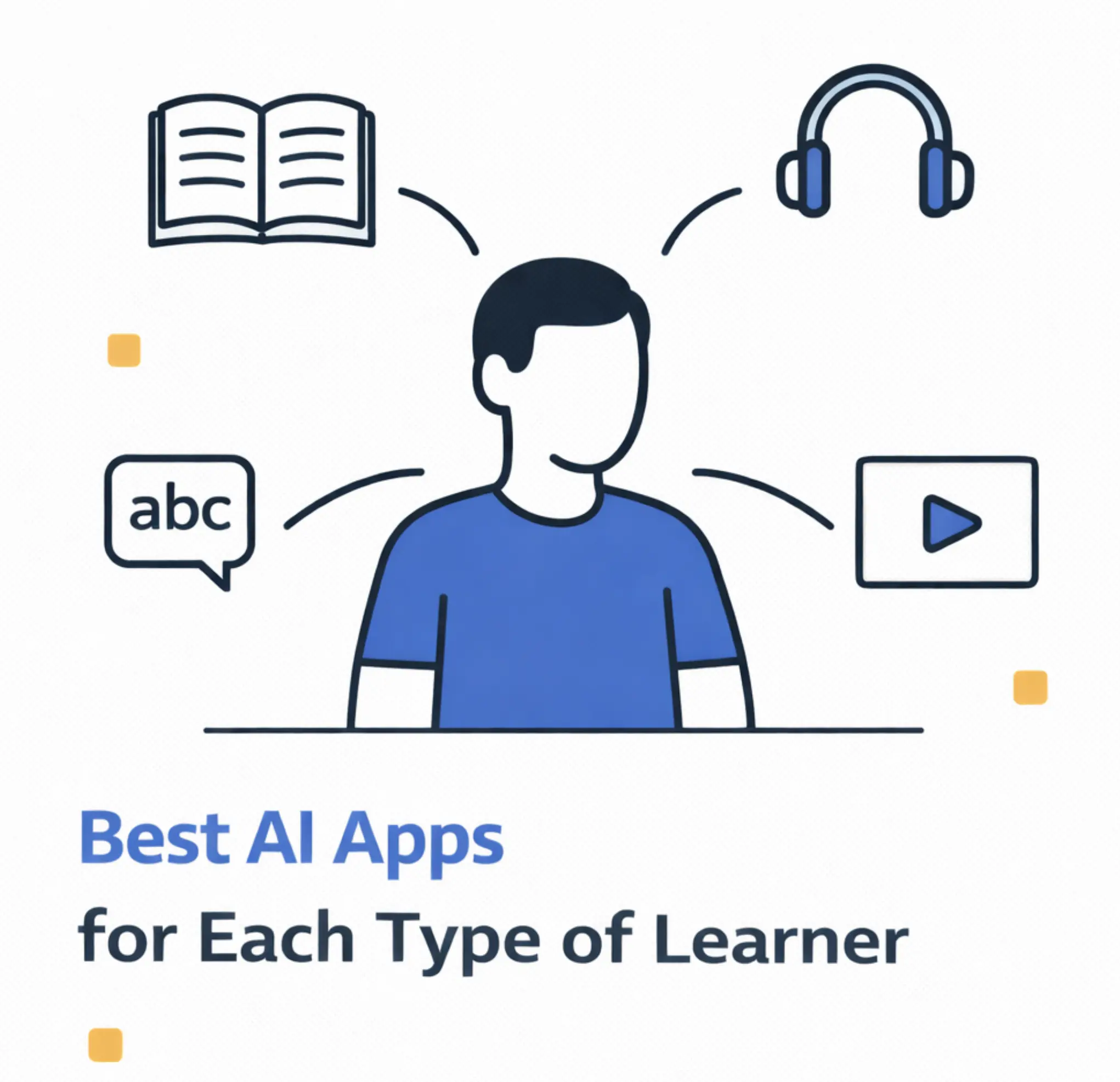
Best AI Apps for Each Type of Learner (Visual, Auditory, Kinesthetic & More)
Not everyone learns the same way, and neither should your study tools work the same way for everyone. This guide matches the best AI apps to your unique learning style, whether you're a visual learner who needs diagrams, an auditory learner who retains information through listening, or a kinesthetic learner who learns by doing.
Written by Sarah Mitchell
Education Tech Researcher
Quick Picks: Best AI Apps by Learning Style
- Visual Learners: LectureScribe (auto-generated infographics & mind maps)
- Auditory Learners: LectureScribe + Speechify (transcription & text-to-speech)
- Reading/Writing: Notion AI + LectureScribe (notes & summaries)
- Kinesthetic Learners: LectureScribe + Quizlet (interactive quizzes & practice)
- Multimodal Learners: LectureScribe (all formats from one source)
Understanding Learning Styles: Why One Size Doesn't Fit All
Have you ever wondered why some study techniques work brilliantly for your roommate but leave you feeling more confused than when you started? The answer lies in learning styles - the different ways our brains prefer to receive, process, and retain information.
The most widely recognized framework is the VARK model, developed by Neil Fleming, which identifies four primary learning styles: Visual, Auditory, Reading/Writing, and Kinesthetic. Research from the National Training Laboratories shows that retention rates can vary dramatically based on how information is presented: from just 5% for lectures to 75% for practice-based learning.
In 2026, AI-powered study apps have evolved to cater to these different learning preferences. The best apps now transform content into multiple formats, allowing you to engage with material in the way that suits you best. Let's explore the best AI apps for each learning style and how to maximize your study efficiency.
Visual Learners (65%)
Learn best through images, diagrams, charts, and spatial understanding. Prefer color-coding, mind maps, and infographics.
Auditory Learners (30%)
Learn best through listening and verbal communication. Prefer lectures, discussions, podcasts, and reading aloud.
Reading/Writing Learners
Learn best through text-based information. Prefer reading articles, writing notes, making lists, and using textbooks.
Kinesthetic Learners
Learn best through hands-on experience. Prefer practice problems, simulations, experiments, and physical activity.
Important Note: Most People Are Multimodal
Research shows that approximately 50-70% of people don't fit neatly into one category. You might be a visual-kinesthetic learner who benefits from both diagrams and hands-on practice. The best approach is often to use multiple modalities to reinforce learning. AI apps like LectureScribe excel here because they generate multiple output formats from the same content.
Best AI Apps for Visual Learners
Visual learners make up the largest group of learners, representing approximately 65% of the population. If you find yourself drawing diagrams in your notes, color-coding your calendar, or needing to "see" a concept to understand it, you're likely a visual learner.
The best AI apps for visual learners automatically transform text and audio content into visual formats like infographics, mind maps, flowcharts, and diagrams. Here are the top picks:
LectureScribe
Auto-Generated Visual Infographics & Mind Maps
LectureScribe stands out for visual learners because of its unique automatic infographic generation. Upload any lecture recording, and the AI doesn't just transcribe it - it creates beautiful visual study guides that organize concepts spatially. This is exactly how visual learners' brains prefer to receive information. Medical students use it for anatomy diagrams, law students for case flow charts, and nursing students for pharmacology concept maps.
AI transforms lecture content into visual diagrams, flowcharts, and concept maps automatically. No design skills needed.
Shows relationships between ideas spatially, helping visual learners see the big picture and connections.
Content is automatically organized with visual hierarchy, making it easy to scan and review.
Export infographics as images to share with study groups or print for review.
Why Visual Learners Love It:
"I used to spend hours trying to turn my lecture notes into diagrams. LectureScribe does it automatically - I just upload the recording and get visual study guides that actually match how my brain works." - Maria S., Pre-Med Student
Pricing
1 Free Upload | $9.99/month
Canva AI
Create custom visual study materials with AI-assisted design. Great for presentations and flashcards.
Miro AI
Collaborative whiteboard with AI features. Perfect for visual brainstorming and concept mapping.
Napkin AI
Transforms text into visual diagrams and illustrations automatically. Great for concept visualization.
Mindomo
AI-enhanced mind mapping tool specifically designed for students and visual organization.
Visual Learner Study Tips
- - Use LectureScribe's infographics as your primary review material before exams
- - Color-code your notes by topic or importance level
- - Create mental "memory palaces" by placing concepts in visual locations
- - Watch video explanations rather than just reading textbooks
- - Turn every concept into a diagram, even if it seems simple
Best AI Apps for Auditory Learners
Auditory learners process information best through listening. If you prefer podcasts over books, remember conversations easily, or find yourself talking through problems out loud, you're likely an auditory learner.
The best AI tools for auditory learners focus on lecture transcription (so you can relisten), text-to-speech conversion, and audio-based study methods. Here are the top recommendations:
LectureScribe + Speechify Combo
Transcription + Text-to-Speech for Complete Audio Learning
For auditory learners, the power combo is LectureScribe for capturing and transcribing lectures with 98% accuracy, paired with Speechify for converting any written materials into audio. This creates a complete audio-first learning system.
LectureScribe captures every word from lectures with 98% accuracy, so auditory learners can relisten and review.
LectureScribe generates concise summaries that can be played back through text-to-speech for audio review sessions.
Speechify reads PDFs, web pages, and documents aloud with natural-sounding AI voices at adjustable speeds.
Perfect for international students who want to listen in their native language or practice pronunciation.
LectureScribe Pricing
1 Free Upload | $9.99/month
Speechify
Premium text-to-speech with natural AI voices. Converts any text to audio at up to 4.5x speed.
Natural Reader
AI text-to-speech with dyslexia-friendly features. Great for long study sessions.
Otter.ai
Real-time meeting and lecture transcription. Good for live transcription during class.
Podcastle
Turn your notes into podcast-style audio content. Great for creating personal study podcasts.
Auditory Learner Study Tips
- - Record yourself explaining concepts and listen back during commutes
- - Use LectureScribe to capture every lecture, then relisten while exercising
- - Join or form study groups where you can discuss material verbally
- - Convert your written notes to audio using Speechify for review
- - Explain concepts out loud to yourself or others - teaching reinforces learning
Best AI Apps for Reading/Writing Learners
Reading/writing learners prefer text-based information above all else. If you love taking detailed notes, prefer textbooks over lectures, and express yourself best in writing, you fall into this category.
The best AI apps for reading/writing learners focus on generating comprehensive written summaries, organized notes, and clear text-based study materials. Here are the top tools:
LectureScribe + Notion AI
AI-Generated Notes, Summaries & Organized Knowledge
Reading/writing learners need detailed, well-organized text. LectureScribe converts lectures into comprehensive transcripts and summaries, while Notion AI helps organize and expand on that content. Together, they create a powerful text-based study system.
LectureScribe provides word-for-word transcripts that reading/writing learners can study, highlight, and annotate.
Get concise written summaries that capture key points in clear, readable text format.
Content is automatically organized with headings, bullet points, and logical flow - perfect for text-oriented learners.
Export LectureScribe content to Notion for further organization, expansion, and long-term knowledge management.
LectureScribe Pricing
1 Free Upload | $9.99/month
Notion AI
AI writing assistant within powerful note-taking system. Summarize, expand, and organize text effortlessly.
Claude
Exceptional at explaining concepts in clear, written language. Great for getting detailed text explanations.
Grammarly
AI writing assistant for clear, error-free writing. Essential for reading/writing learners' papers and notes.
Obsidian + AI Plugins
Local-first note-taking with AI plugins for summarization and linking ideas. Great for building knowledge bases.
Reading/Writing Learner Study Tips
- - Use LectureScribe transcripts as your primary study document
- - Rewrite key concepts in your own words to reinforce understanding
- - Create detailed outlines before writing papers or taking tests
- - Keep a "learning journal" where you write daily reflections on material
- - Use bullet points and lists to organize complex information
Best AI Apps for Kinesthetic Learners
Kinesthetic learners learn by doing. If you can't sit still during lectures, learn best through practice problems, and need to physically engage with material to remember it, you're a kinesthetic learner.
The best AI apps for kinesthetic learners focus on interactive practice: quizzes, problem-solving, simulations, and hands-on activities. Here are the top tools:
LectureScribe + Quizlet
AI-Generated Quizzes, Practice Problems & Interactive Review
Kinesthetic learners need active engagement. LectureScribe automatically generates interactive quizzes and practice problems from your lecture content, while Quizlet gamifies the review process. This combination turns passive lecture content into hands-on learning activities.
LectureScribe creates practice quizzes from your lectures, so you're actively testing yourself rather than passively reviewing.
AI-generated flashcards that you can actively engage with through swipe, tap, and game-based review sessions.
For STEM content, LectureScribe can generate practice problems similar to what was covered in lectures.
Export to Quizlet for game modes like Match, Gravity, and Live that make studying feel like play.
LectureScribe Pricing
1 Free Upload | $9.99/month
Quizlet
Gamified flashcard platform with Match, Gravity, and Live game modes. Perfect for active learning.
Brilliant
Interactive problem-solving courses in math, science, and CS. Learn by doing, not watching.
Photomath
Solve math problems step-by-step with your camera. Work through problems actively, not passively.
Kahoot!
Game-based learning platform. Create or join quiz games for active, competitive studying.
Kinesthetic Learner Study Tips
- - Use LectureScribe's auto-generated quizzes immediately after each lecture
- - Study while walking on a treadmill or pacing - movement helps retention
- - Act out processes or use hand gestures while learning concepts
- - Take frequent breaks and move around between study sessions
- - Use physical flashcards you can shuffle and sort with your hands
Best AI Apps for Multimodal Learners
Multimodal learners don't fit neatly into one category - they benefit from engaging with material in multiple ways. Research suggests this is actually the majority of people. If you're a multimodal learner, you want tools that can present the same content in different formats.
LectureScribe
One Upload, All Learning Formats
LectureScribe is the ultimate tool for multimodal learners because it generates all output formats from a single upload. One lecture becomes visual infographics, written transcripts, audio-ready summaries, and interactive quizzes. You can engage with the same content in whatever way suits your mood or the material.
Infographics, mind maps, visual concept diagrams
Complete transcripts for text-to-speech, relisten-ready content
Detailed summaries, organized notes, written study guides
Interactive quizzes, flashcards for active practice, exportable to Quizlet
Pricing
1 Free Upload | $9.99/month
All output formats included
Multimodal Learning Strategy
The most effective study approach for multimodal learners is to engage with the same content in multiple formats. Use LectureScribe to generate all outputs, then: 1) Review visual infographics first for the big picture, 2) Read the written summary for details, 3) Take the quiz for active recall, 4) Listen to the transcript during your commute. This multi-pass approach dramatically improves retention. For a step-by-step guide to applying these techniques during exam season, see our article on how to study for exams using AI.
AI Apps by Learning Style: Complete Comparison Table
| App | Visual | Auditory | Read/Write | Kinesthetic | Price |
|---|---|---|---|---|---|
| LectureScribe | Excellent | Excellent | Excellent | Excellent | $9.99/mo |
| Notion AI | Good | Limited | Excellent | Limited | +$10/mo |
| Quizlet | Good | Limited | Good | Excellent | $7.99/mo |
| Speechify | None | Excellent | Limited | None | $139/yr |
| Canva AI | Excellent | None | Limited | Limited | $12.99/mo |
| Brilliant | Good | None | Good | Excellent | $149/yr |
| Miro AI | Excellent | None | Good | Good | $8/mo |
| Otter.ai | None | Good | Good | None | $16.99/mo |
How to Identify Your Learning Style
Not sure which learning style describes you best? Here are some quick ways to identify your dominant learning preferences:
You might be a Visual Learner if you...
- - Prefer diagrams and charts over verbal explanations
- - Naturally color-code your notes
- - Remember faces better than names
- - Need to see information to understand it
- - Often doodle or draw while thinking
You might be an Auditory Learner if you...
- - Remember things people say easily
- - Prefer podcasts and audiobooks over reading
- - Talk through problems out loud
- - Get distracted by background noise easily
- - Learn well from lectures and discussions
You might be a Reading/Writing Learner if you...
- - Prefer reading the textbook over attending lectures
- - Take extensive, detailed notes
- - Express yourself better in writing than speaking
- - Enjoy making lists and written plans
- - Learn from reading the manual before trying something
You might be a Kinesthetic Learner if you...
- - Can't sit still for long periods
- - Learn best by doing, not watching or reading
- - Use your hands when explaining things
- - Prefer lab work, experiments, and practice problems
- - Remember what you did better than what you saw or heard
Frequently Asked Questions
What are the best AI apps for visual learners?
The best AI apps for visual learners include LectureScribe (automatically generates infographics and mind maps from lectures), Canva AI (creates visual study materials), and Miro AI (collaborative visual boards). LectureScribe is particularly effective because it transforms lecture content into visual diagrams and infographics automatically.
Which AI study apps work best for auditory learners?
Auditory learners benefit most from apps with text-to-speech and lecture transcription features. Top picks include LectureScribe (transcribes lectures with high accuracy), Natural Reader (AI text-to-speech), and Speechify (reads any text aloud). These tools let auditory learners listen to study materials repeatedly.
How do I know what type of learner I am?
The VARK model identifies four main learning styles: Visual (prefer diagrams, charts, colors), Auditory (prefer listening, discussion), Reading/Writing (prefer text-based information), and Kinesthetic (prefer hands-on activities). Most people are multimodal learners who benefit from multiple approaches. Take a VARK questionnaire or notice which study methods help you retain information best.
What AI apps help kinesthetic learners study effectively?
Kinesthetic learners need interactive, hands-on tools. Best AI apps include LectureScribe (generates interactive quizzes and practice problems), Quizlet (gamified flashcard practice), Brilliant (hands-on problem solving), and Photomath (step-by-step math practice). The key is active engagement rather than passive reading.
Are there AI study apps that work for all learning styles?
Yes, multimodal AI apps like LectureScribe cater to all learning styles by generating multiple output formats from the same content: visual infographics, audio transcripts, written summaries, and interactive quizzes. This approach is ideal for multimodal learners or when you want to reinforce learning through multiple channels.
Do learning style-specific apps actually improve grades?
Research shows that matching study tools to your preferred learning style can improve retention by 20-40%. Students who use AI apps aligned with their learning preferences report better comprehension, faster study sessions, and reduced exam anxiety. The key is active engagement with material in your preferred format.
Find Your Perfect Study Format
LectureScribe generates visual, auditory, written, and interactive study materials from one upload
Try 1 Free Upload - All Formats IncludedInfographics + Transcripts + Summaries + Quizzes + Flashcards
Related Articles
10 Best AI Study Apps for Students in 2026
Complete guide to the top AI-powered study tools for every student.
Visual Infographics: AI Study Guides
Learn how AI creates visual study guides from your lectures automatically.
Auto-Generate Flashcards from Lectures
How AI creates study materials automatically from your content.
12 Best Lecture Apps for Students
Complete guide to apps that turn lectures into notes automatically.